Play Aviator Game Online: First Round
Your practice cockpit: the free demo
The frame below loads Spribe's own demo in fun mode. You get a play balance of 30,000.00 EUR, which is credit for practice only: nothing you win here is paid out and nothing can be withdrawn. No sign-up is needed, the game starts when you press the button, and the page is meant for adults aged 18 and over. Keep this guide open beside it as you follow the steps.
 DEMO · FUN MODE
Your first round, one screen at a time
The plane is parked at the bottom left of a dark screen, a countdown bar is shrinking, and two green buttons wait underneath. That is what most people see the first time they play Aviator game online, and it looks busier than it really is. This walkthrough takes one free round in the demo and slows it right down, so every button makes sense before you press it. Nothing here costs anything: the demo runs on play credit supplied by Spribe, the studio behind the game.
We went through each step below in the live demo on 13 October 2026, with the default settings untouched. On a phone the panels stack vertically instead of sitting side by side, but the order of actions does not change.
Step 1: Load the demo and read the top of the screen
Press the start button in the demo frame. After a few seconds of loading, check four things before you touch any stake:
- A FUN MODE banner above the play area, telling you no real money is involved.
- The balance, which opens at 30,000.00 EUR of play credit.
- A thin strip of recent multipliers along the top, showing where the last few rounds ended.
- The Live Bets list, on the left on a computer and under the bet panel on a phone.
That strip of past results deserves a glance, nothing more. Each round's end point is set on its own, so a run of low numbers does not make a high one due. People who search for 'aviator game online free' sometimes expect to install something first; you do not need to. The demo opens in an ordinary browser tab on a phone, tablet or PC, and Spribe has not published an Aviator app of its own on Google Play.
Step 2: Set a stake with the buttons
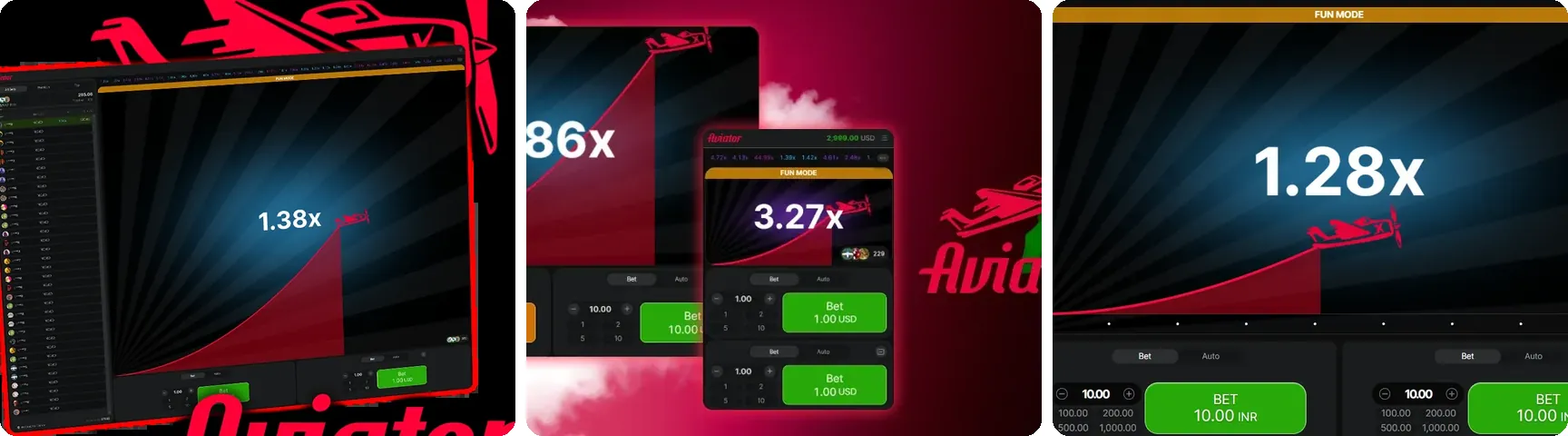
Below the plane sits the bet panel. The stake field shows 0.10 EUR by default, which is also the smallest bet this demo accepts. The minus and plus buttons nudge the amount down or up, and the quick buttons marked 1, 2, 5 and 10 jump straight to those figures. You can also tap the field and type a number yourself. A single bet tops out at 100.00 EUR here. For a first round, leave it at 0.10 or press 1: the aim is to watch the mechanics, not to size anything.
Step 3: Press Bet and watch the button change
Press the green Bet button while the countdown is running. It turns into Cancel, which means your stake is queued for the next take-off. Changed your mind? Press Cancel and the money goes back to the balance, but only before the round begins. If you press Bet while a plane is already flying, the bet simply waits for the following round, so do not worry when nothing happens straight away.
Step 4: Take-off and the climbing number
When the round starts, the red plane lifts off and a curve trails behind it. The figure in the middle begins at 1.00x and grows as the plane gains height. Read it as your possible result: stake times whatever the multiplier shows at the moment you cash out. Your button has changed again by now, to an orange Cash Out that displays the amount you would collect at that instant. On a 1 EUR stake at 1.50x, that comes to 1.50 EUR of play credit.
Step 5: Cash out, or let the plane leave
Tap Cash Out and the bet closes at the current multiplier; the credit drops into your balance and the plane carries on without you. Wait too long and the plane leaves the screen, the words FLEW AWAY! appear next to the final multiplier, and the stake is lost. Some rounds finish almost at once, even at 1.00x, before anyone can react. That is not a fault. The flight point was fixed by a provably fair generator before take-off, which is also why no app, script or 'predictor' can tell you when to tap.
One rule is worth knowing on mobile data: if your connection drops while a bet is live, the game cashes it out automatically at the multiplier reached at that moment.
Step 6: Look back at what just happened
After the round, open the menu and choose My Bet History to see your stake, the multiplier you left at and the outcome. The Previous tab in the Live Bets area lists the whole last round, and Top collects the biggest wins and multipliers. Settled rounds carry a small icon that opens their fairness record. You do not need any cryptography to use it; it simply confirms the result was settled before the plane took off and was not altered afterwards. Spribe puts the game's RTP at 97%, an average over an enormous number of bets, so one short session can land far from it in either direction.
Step 7: Two extras for your second round
Once a single round feels clear, two features are worth a try. The plus icon on the first bet panel adds a second panel, so you can run two separate stakes in one flight and cash them out at different moments. The Auto tab offers Auto Bet, which places your stake every round for you, and Auto Cash Out, which closes the bet at a multiplier you type in. Auto Cash Out is handy for learning: set it at 1.80x and see how many rounds actually reach that point. The same steps apply every time you play Aviator game online in fun mode, so after two or three rounds the screen stops feeling crowded.
Before going further: the rules in India
The demo is the only version of the game this guide invites you to open. Real-money Aviator is a separate matter for readers in India. The Promotion and Regulation of Online Gaming Act, 2025, together with its Rules, has been in force since 1 May 2026. It bans offering and advertising online money games, and it stops banks and payment systems from handling payments for them. We are not giving legal advice here, only the background worth knowing before you follow any link that promises paid play.
A last word on habit. Even in fun mode, decide before you start how many rounds you will play, perhaps twenty, and close the tab when you reach that number. The game is meant for adults of 18 and over, and if betting of any kind begins to feel like pressure, the free Tele-MANAS helpline on 14416 answers around the clock.
No sign-up: The demo frame opens without an account, e-mail address or phone number. This guide never asks for personal details.
Play credit only: The 30,000.00 EUR balance is practice credit. Nothing won in it can be withdrawn or exchanged.
Loads on click: Spribe's demo server is contacted only after you press the start button, not when the page first opens.
No downloads: Everything runs inside the browser tab. We neither offer nor link to any APK or installer.
Light on data: Spribe says its games are built for budget devices and low-bandwidth connections, which helps on mobile data.


How the first session rates
What works
- Starts in seconds with no account or download
- Bet, Cancel and Cash Out states make each step obvious
- Auto Cash Out lets beginners practise a fixed exit point
What to keep in mind
- Very early crashes can confuse first-time players
- No built-in reminder to stop after a set number of rounds
- Live Bets and two bet panels crowd a small phone screen
First-session questions
Can I try the Aviator demo game without signing up?
Yes. The frame on this page loads Spribe's demo in fun mode with no registration, e-mail or phone number. You start with 30,000.00 EUR of play credit and can bet, cancel and cash out exactly as the walkthrough describes. The credit has no cash value, so nothing you win can be withdrawn, and the demo is intended for adults aged 18 or over.
Why did nothing happen when I pressed Bet?
If a plane was already in the air, your bet was queued for the next round. The button shows Cancel while it waits, and you can withdraw the bet at that stage. Once the countdown ends and the new round starts, the button turns into Cash Out. Bets placed during a flight never join the flight in progress.
What if my mobile signal cuts out mid-flight?
According to the game rules, if the connection is lost while a bet is active, the game cashes that bet out automatically at the multiplier reached at that moment. If a malfunction occurs instead, affected bets and payouts are void and the stakes are refunded. In the demo this only affects play credit, but it is useful to know before relying on a weak mobile signal.
Can people in India play Aviator for real money now?
The Promotion and Regulation of Online Gaming Act, 2025 and the Rules made under it came into force on 1 May 2026. Together they prohibit offering and promoting online money games and bar banks and payment systems from processing payments for them. This guide therefore covers only the free demo. It does not offer legal advice, and it does not point readers to any paid version.
Why did the plane fly away at 1.00x?
Each round's end point is fixed before take-off by a provably fair random generator, and some rounds are set to end at the very start. When that happens the plane leaves immediately and every open bet in that round is lost. It is part of the design, not an error, and you can check the round's fairness record afterwards from the icon in the history.
Do I need to download an app first?
No. Aviator runs in a browser tab on phones, tablets and computers, and there is no separate PC client. A search on Google Play India in October 2026 showed no Aviator app published by Spribe. APK files shared on websites or in chats come from third parties, and their origin cannot be confirmed from the file name, so the browser demo is the simpler route.